
The tracklist writes itself
Now Playing keeps a text file holding whatever's playing, and a history of everything that did. Point OBS at one, paste the other under your upload.
now-playing.txt
Strobe - deadmau5
history.txt
01. Opus - Eric Prydz
02. Language - Porter Robinson
03. Strobe - deadmau5
A text source with zero overhead
Point an OBS Text (GDI+) source at the output file and OBS redraws it on every change: the lightest possible track display, no browser source required. The same file feeds Stream Deck plugins, scripts, and anything else that can read text.
Credit every artist without typing
Record sets for YouTube, Mixcloud, or SoundCloud? The history file is your tracklist: accurate, in order, timestamped. Paste it into the description, credit the artists you played, and keep the rights people happy.
On in under a minute
- 1
Turn on File Output in the app
Choose where the files live and what each line contains. Variables cover title, artist, BPM, key, label, and time.
- 2
Point your tools at the files
OBS text source, a script, a Stream Deck plugin: anything that reads text.
- 3
Play
The current-track file always holds the latest; the history file grows as the set does.
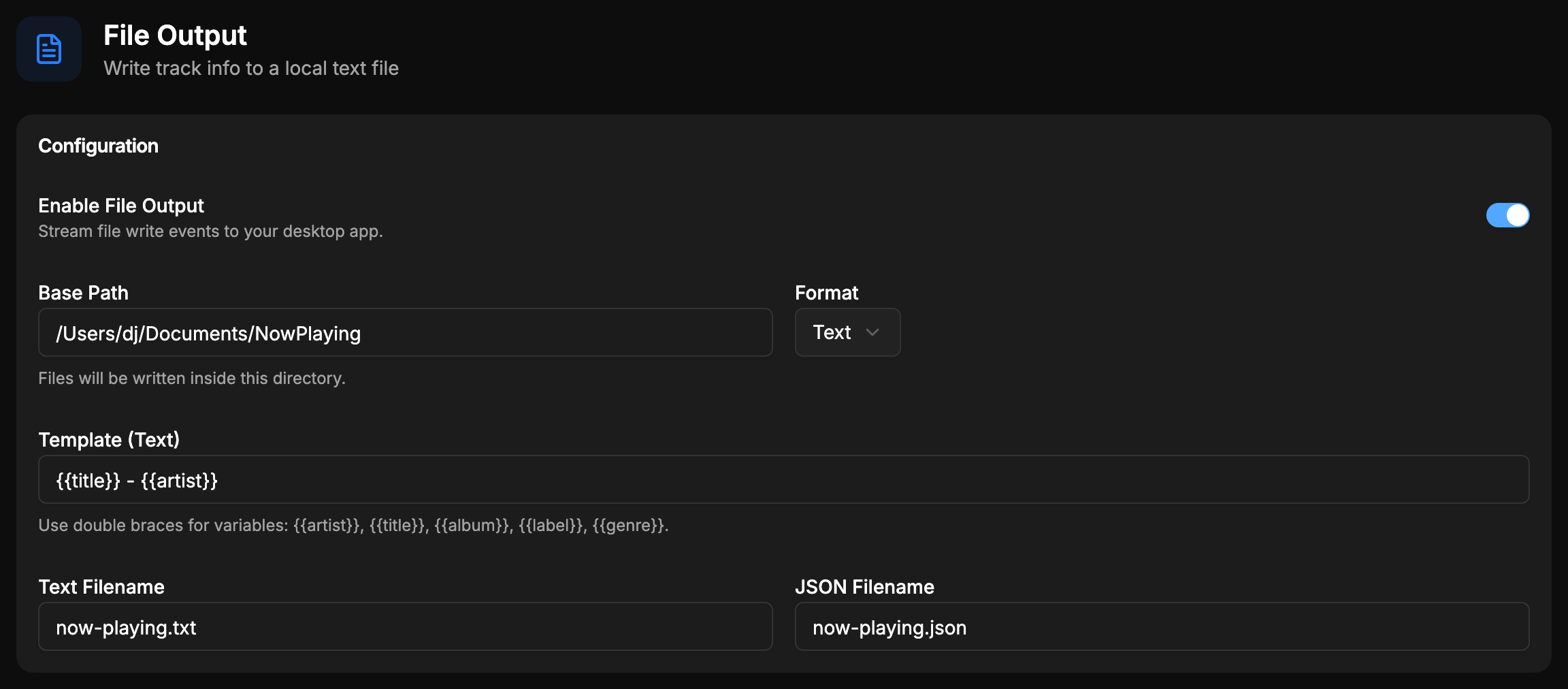
File output is part of the free tier. Prefer structured data over text? See webhooks.
Stop typing tracklists
Download free, turn on file output, and your next upload's description is already written.