Your tracks on screen. Automatically.
Now Playing reads what you're mixing (rekordbox, Serato, Traktor, and 8 more) and puts it on your stream. Live in OBS in minutes.
Reads every major DJ setup






Chat stops asking. The screen answers.
Title, artist, and artwork appear the moment a track goes on air, while you keep both hands on the mix.
Live in three steps
- 1
Connect your DJ software
Open Now Playing next to rekordbox, Serato, Traktor, or whatever you mix with. It detects your setup and starts listening.
- 2
Add the overlay to OBS
One click creates the browser source for you: named, sized, and placed. Streamlabs and every other browser-source tool work too.
- 3
Play
That's the whole job. Tracks appear as they go on air, and the overlay looks after itself for the rest of the set.
An overlay that looks like you
Start from a gallery of broadcast-ready themes, then shape it in the editor, or build your own from scratch.
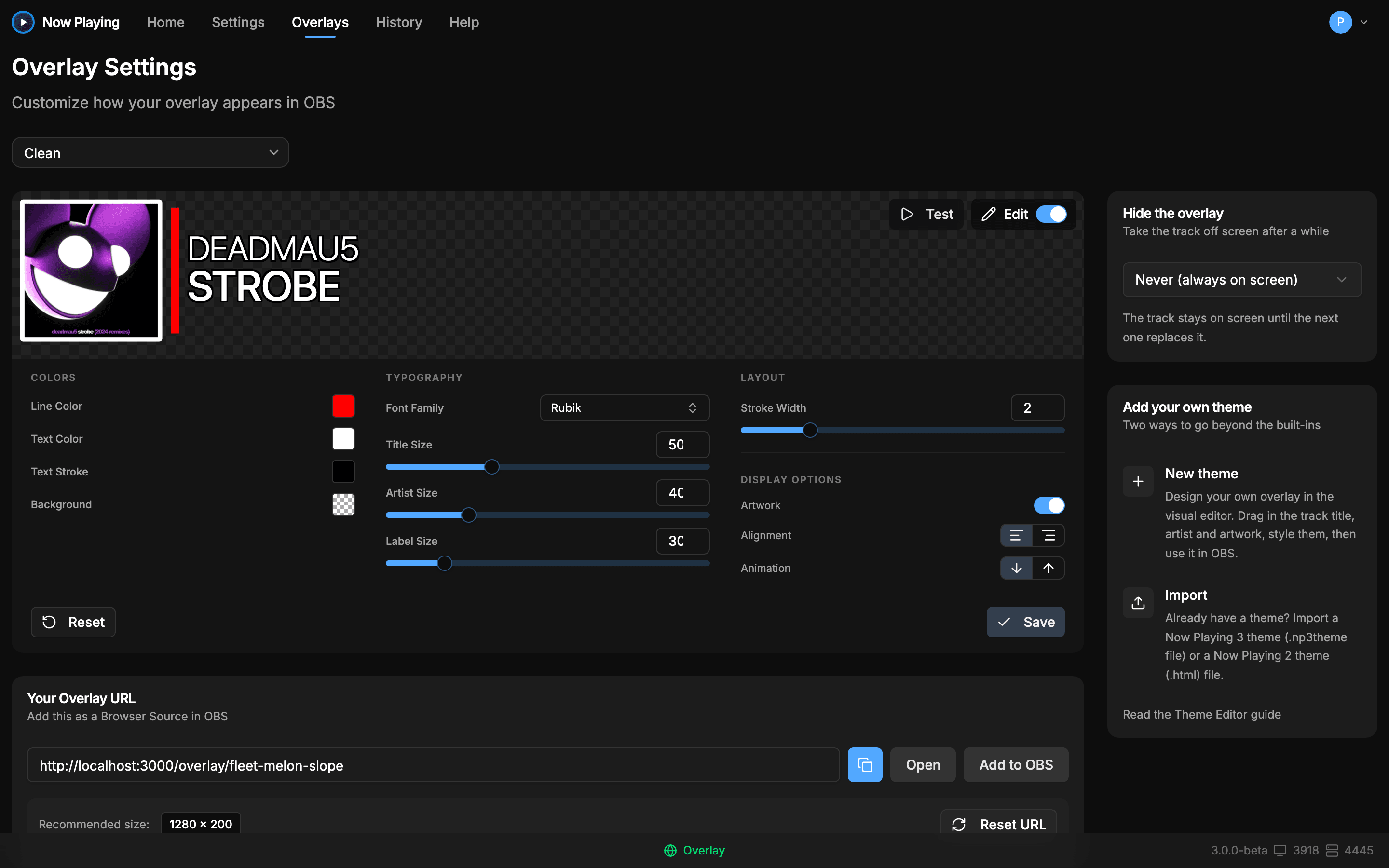
The theme editor
Change layout, type, colors, and animation, previewed live and saved to your overlay instantly.
A gallery of broadcast-ready themes
Pick one, add it to OBS, done. Every theme handles long titles, missing artwork, and quiet moments gracefully.
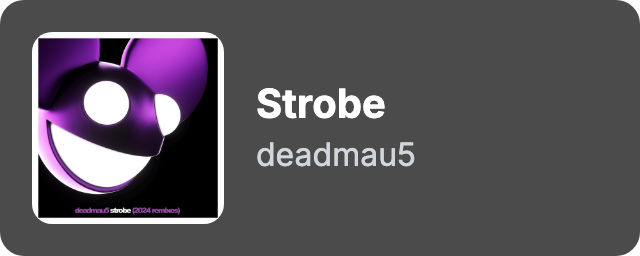

One-click Add to OBS
Now Playing creates the browser source for you: named, sized, and placed in your scene.
Custom templates
Build your own theme in HTML with the template SDK. Now Playing feeds it live track data.
Album art, full resolution
From your files, your hardware, or online sources when the file has none, so the frame never sits empty.
Watch it do the talking
The overlay, the chat bot, the tracklist, the files: all driven by the same on-air detection, all hands-free.
Live overlay
Title, artist, and artwork appear the moment a track goes on air, while you keep both hands on the mix.
On-air detection drives the swap
Twitch chat
The bot announces every track and answers !song before anyone types the question. Included free.
viewer_42: what track is this??
np_bot: Now playing: deadmau5 - Strobe (mau5trap)
hardgroove_fan: !song
np_bot: deadmau5 - Strobe · 128 BPM · 11B
Discord tracklists
Every track posts to your server as you play it. The channel becomes the set's tracklist.
Now Playing bot
deadmau5 - Strobe · 128 BPM · 11B
Now Playing bot
Eric Prydz - Opus · 126 BPM · 9A
Now Playing bot
Above & Beyond - Sun & Moon · 134 BPM · 8A
File output and webhooks
Write tracks to text files for OBS and tracklists, or push JSON to anything with a URL.
now-playing.txt
deadmau5 - Strobe
POST https://your-thing.example/hook
{ "artist": "deadmau5", "title": "Strobe",
"bpm": 128, "key": "11B", "onAir": true }
DJs who stopped typing track names
“Quote to come: a real streaming DJ on going from download to live overlay in one evening.”
“Quote to come: a real streamer on the overlay running unattended through full sets.”
“Quote to come: a real host on what happened to the track ID questions.”
Free to stream with. Pro when you want more.
Every DJ gets a working overlay for nothing. Pro is a one-time purchase, made inside the app.
Free
$0/forever
No signup, no card
Everything a stream needs to show what you're playing. Not a trial. The free tier is the product.
- All 11 track sources: rekordbox, Serato, Traktor, CDJs, and more
- Live overlays with the full theme gallery
- One-click Add to OBS
- File output for OBS text sources and tracklists
- Track history for every set, last 30 days
- Try every Pro feature before you buy — build it, preview it, keep it
Pro
$29.99/one-time
$39.99Launch price until January 1, 2027
Free for your first 30 days. Every new account starts with Pro switched on, no card needed.
Everything in Free, plus the tools that make the overlay yours. Set any of it up on the free plan first — Pro is what takes it live. Yours forever, no subscription.
- Twitch chat bot with !song commands
- Your full track history, all the way back
- Theme editor and custom HTML templates
- Customize any built-in theme: colors, fonts, and layout
- Automatic track-title cleanup
- Playlist exports for YouTube, Mixcloud, 1001Tracklists, and more
- Discord live tracklists
- MIDI clock and Ableton Link output
- Broadcast Metadata for Audio Hijack and Rocket Broadcaster
- Tune on-air detection to how you mix
- Webhooks for your own automations (rolling out)
- Lumia Stream lighting integration (rolling out)
- OSC output (rolling out)
- Custom album artwork and fallback art (rolling out)
Prefer installments? Rent to own is $5 a month for 8 months ($40 total), you can pause anytime, and after the last payment Pro is yours outright. Paying once costs $29.99 until January 1, 2027, so buying outright is the cheaper way in while launch pricing lasts.
Answers, before you ask
Does it work with my DJ software?
Eleven sources are supported: rekordbox, Serato DJ, Traktor Pro, VirtualDJ, djay Pro, Mixxx, DJUCED, Denon StageLinq, Pioneer PRO DJ LINK, Spotify, and a universal file watcher. See exactly how yours connects on the compatibility page.
How long does setup take?
Minutes. Now Playing detects your DJ software automatically, and Add to OBS creates the browser source for you. Per-device walkthroughs live in the help center if your setup is unusual.
Will it break mid-stream?
It runs in the background and asks nothing of you mid-set. The overlay reconnects on its own if your connection blips, and on-air detection follows your mixer where your gear supports it, so the screen shows what the audience hears.
What does the free tier include?
The whole core: all 11 track sources, live overlays with the theme gallery, one-click Add to OBS, file output, and track history. Free is not a trial. See pricing for what Pro adds.
Do I need OBS?
No. The overlay is a live web page, so anything with a browser source works: OBS, Streamlabs, vMix, and friends. Chat and text-file outputs don't need a streaming tool at all.
Can I use it at real gigs, not just streams?
Yes. Open your overlay URL full-screen on any display with a browser: a venue screen, a projector, a spare laptop behind the booth. It shows the current track to the room while you play.
Put your next set on screen
Download free, connect your DJ software, and go live in minutes. No signup on the way to the installer.